Guide 1: Run your first council
In 8.0Mac App StoreiPhone and iPadSetappAvailable now on Setapp. The App Store versions are awaiting Apple's review.
Type your question first
Open a new conversation and type your question. The composer stays open while you set up, and Send becomes active once the council has two members.
To see a council answer before you connect anything, play the recorded example from Help, Getting Started. It is labelled as a recording and sends no model request.

Connect a provider
Open Settings, then Providers, choose a provider, add its API key and use the model-list button to check it. You can also connect from the card inside the conversation. If the council still has fewer than two models, the card shows Choose models, which opens Council settings.
On Mac, local models through Ollama, LM Studio or GGUF files need no provider key. In the Setapp edition, Setapp AI routes depend on your account and credits.
Add a custom endpoint (optional)
For a self-hosted or third-party service that uses the OpenAI format, choose Add Custom Provider in Settings, Providers. Enter a name, the base URL with its version path, such as /v1, and a key if the service needs one.
Choose Test connection to check the address and key without saving them. If the server lists no models, type the model IDs yourself.
Choose your council
In Settings, Council, add at least two models and choose the chair. Use a ready-made preset, or choose Save Current to keep your own council under a name.
Saving under the name of an existing saved council replaces it in place. To keep both, choose Save as New. Rename, Edit and Delete sit beside each saved council.
Read the review
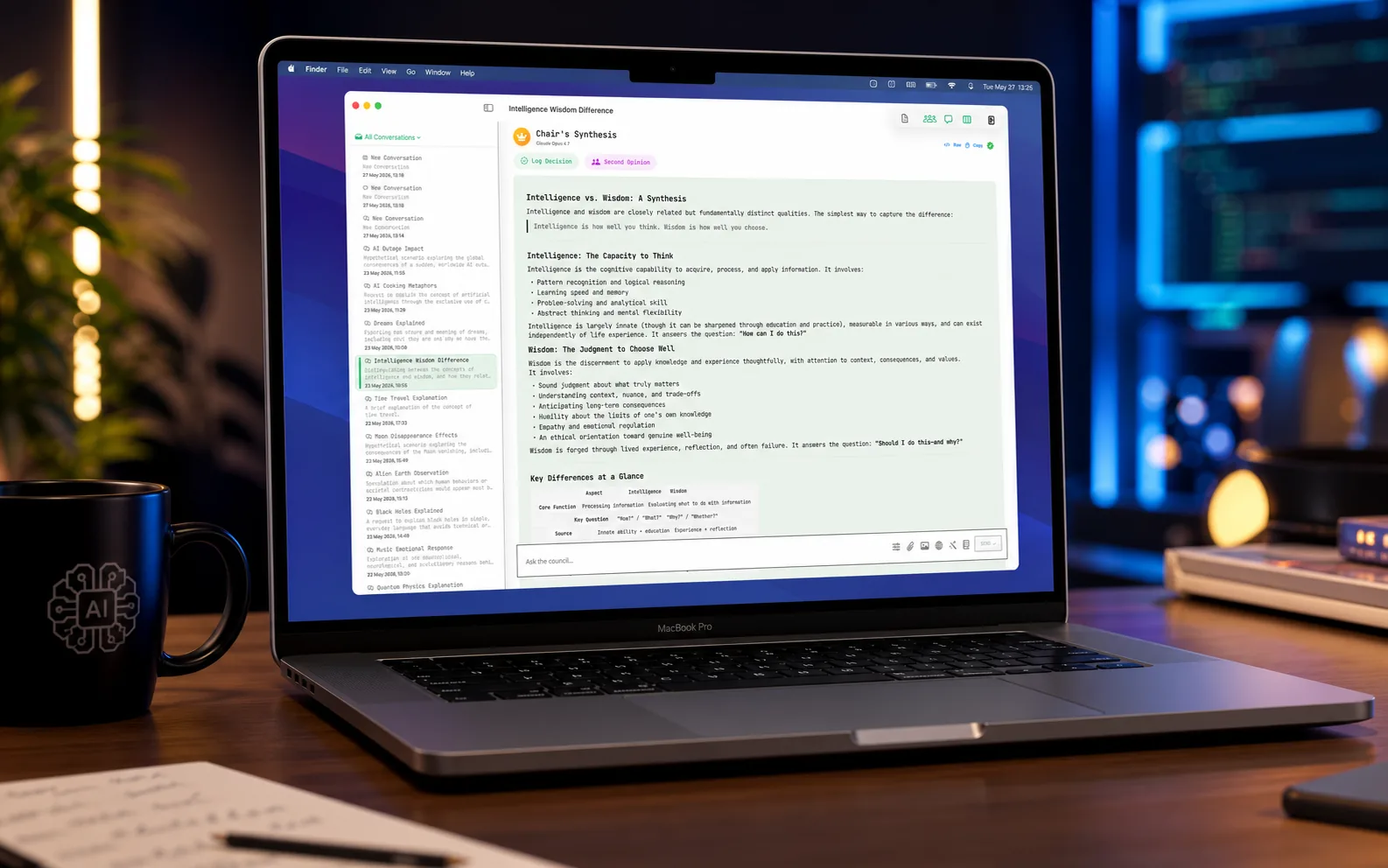
The members answer, review each other's answers under anonymous labels, and the chair writes one answer with a report of what it changed. Peer review is on by default and can be turned off in Settings.
Agreement between models is not proof that an answer is correct. Check important claims against sources.
Guide 2: Explore a Review Workspace sample
In 8.0Mac App StoreiPhone and iPadSetappAvailable now on Setapp. The App Store versions are awaiting Apple's review.
Open the fictional sample
The fictional sample, drafting and local calculations need no API keys and make no model calls.
Open Reviews, then Open fictional sample. The labelled, precomputed supplier example lets you inspect a brief without connecting a model.
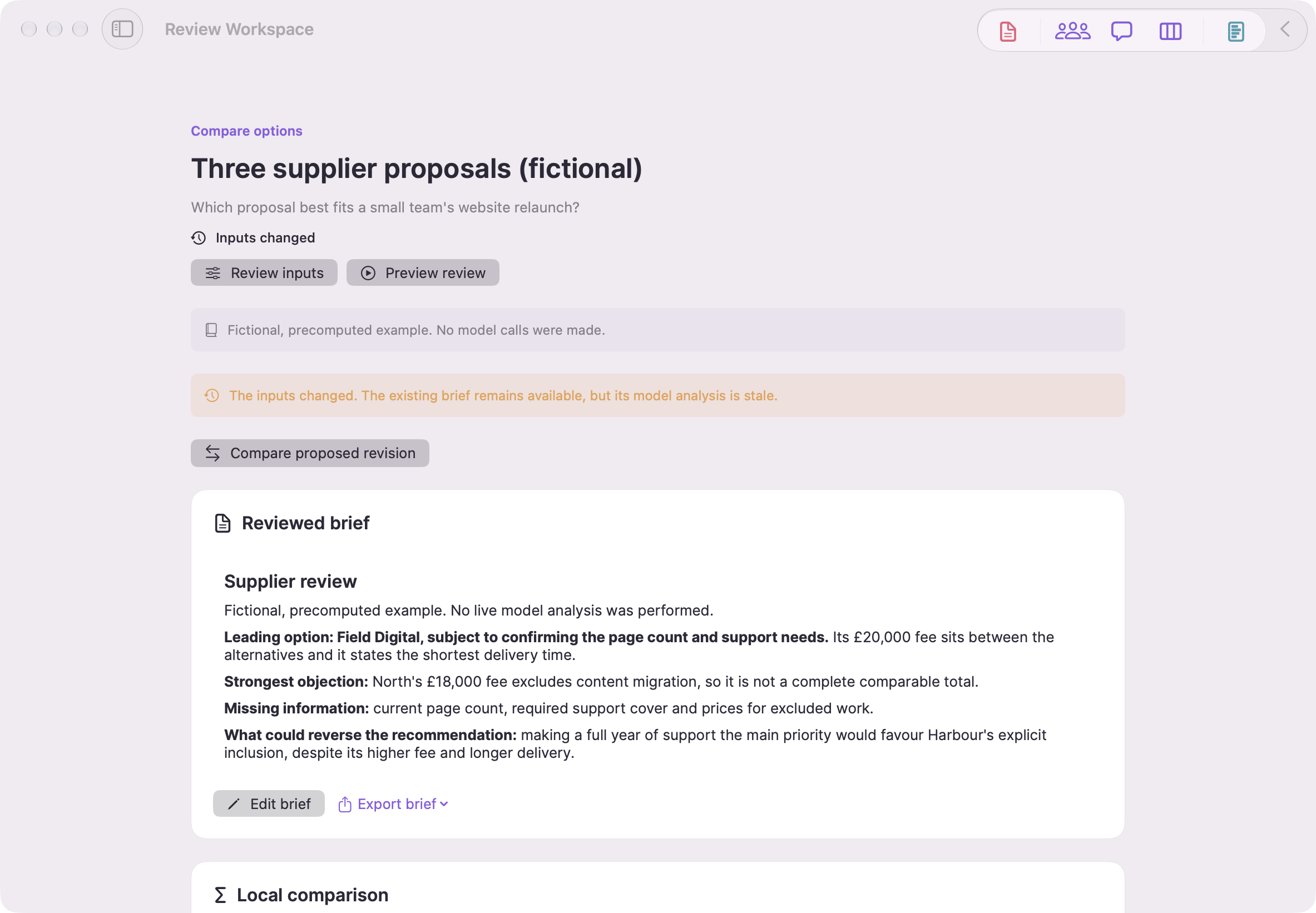
Synthetic examples. Model results are precomputed; local comparisons use example ratings. Screenshots show the English Mac interface.
Inspect a finding and its source
Open a finding to inspect its exact saved source passage. Disputed, unverified and user-supplied findings remain distinct. A quotation shows provenance, not proof.
Read extraction notes before relying on a document. Removing a source from current inputs keeps its historical snapshot and citations.
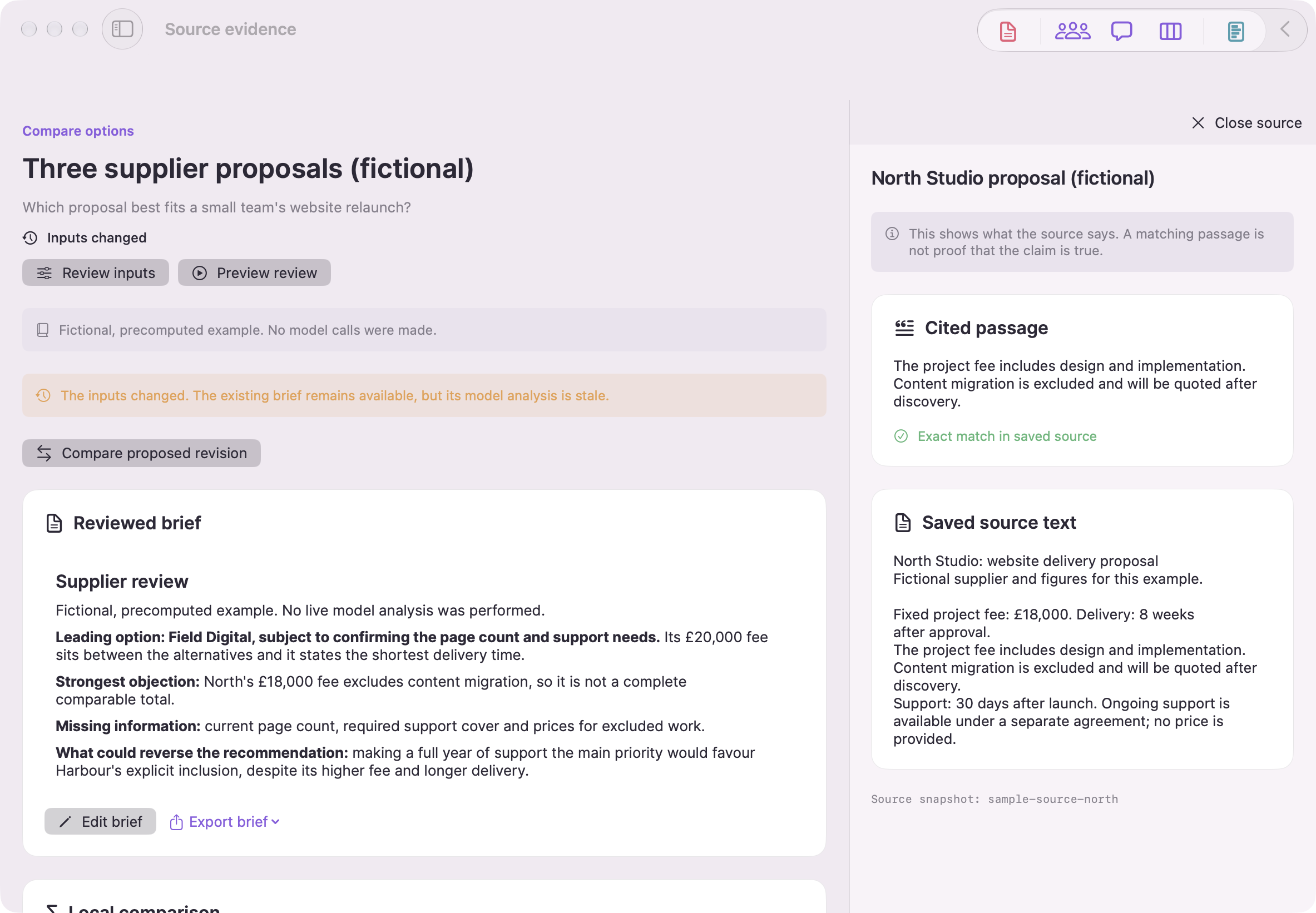
Synthetic examples. Model results are precomputed; local comparisons use example ratings. Screenshots show the English Mac interface.
Set priorities and compare options
Add your own ratings from 0 to 10 and set criterion weights. Weighted comparisons update locally without a model call. Missing ratings stay missing; the results reflect your judgement.
Changing sources, options or priorities marks earlier AI analysis stale. A confirmed new review creates a proposal to compare in What changed. Your edited brief remains separate.
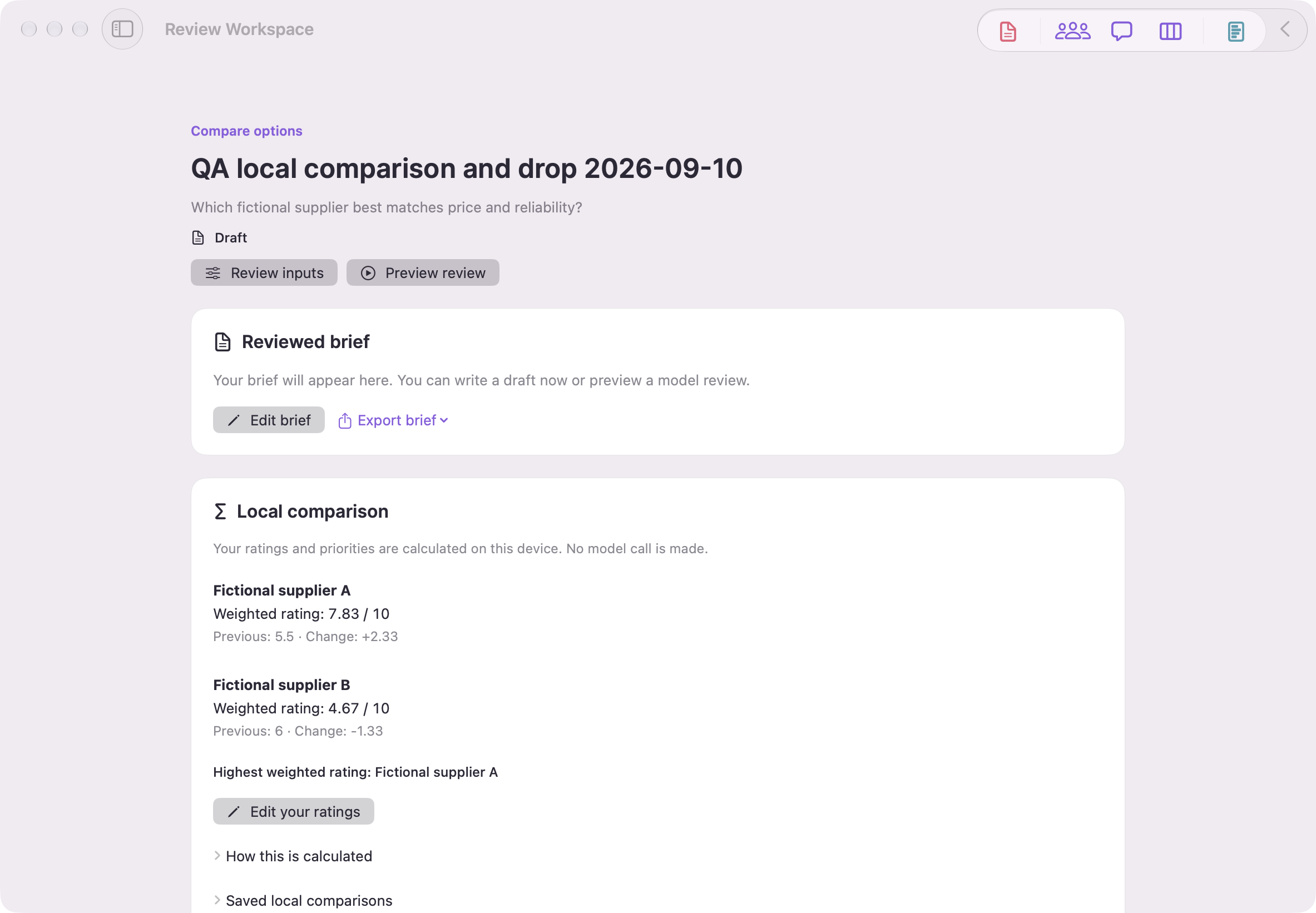
Synthetic examples. Model results are precomputed; local comparisons use example ratings. Screenshots show the English Mac interface.
Inspect a challenge or revision
A full review previews two separate assessments and one synthesis call. A targeted challenge previews one call. Confirm the sources, models, route and limits before each run.
The sample includes saved challenge and priority-change examples. They are precomputed, not new model results. Use What changed to compare the earlier brief and proposed revision.
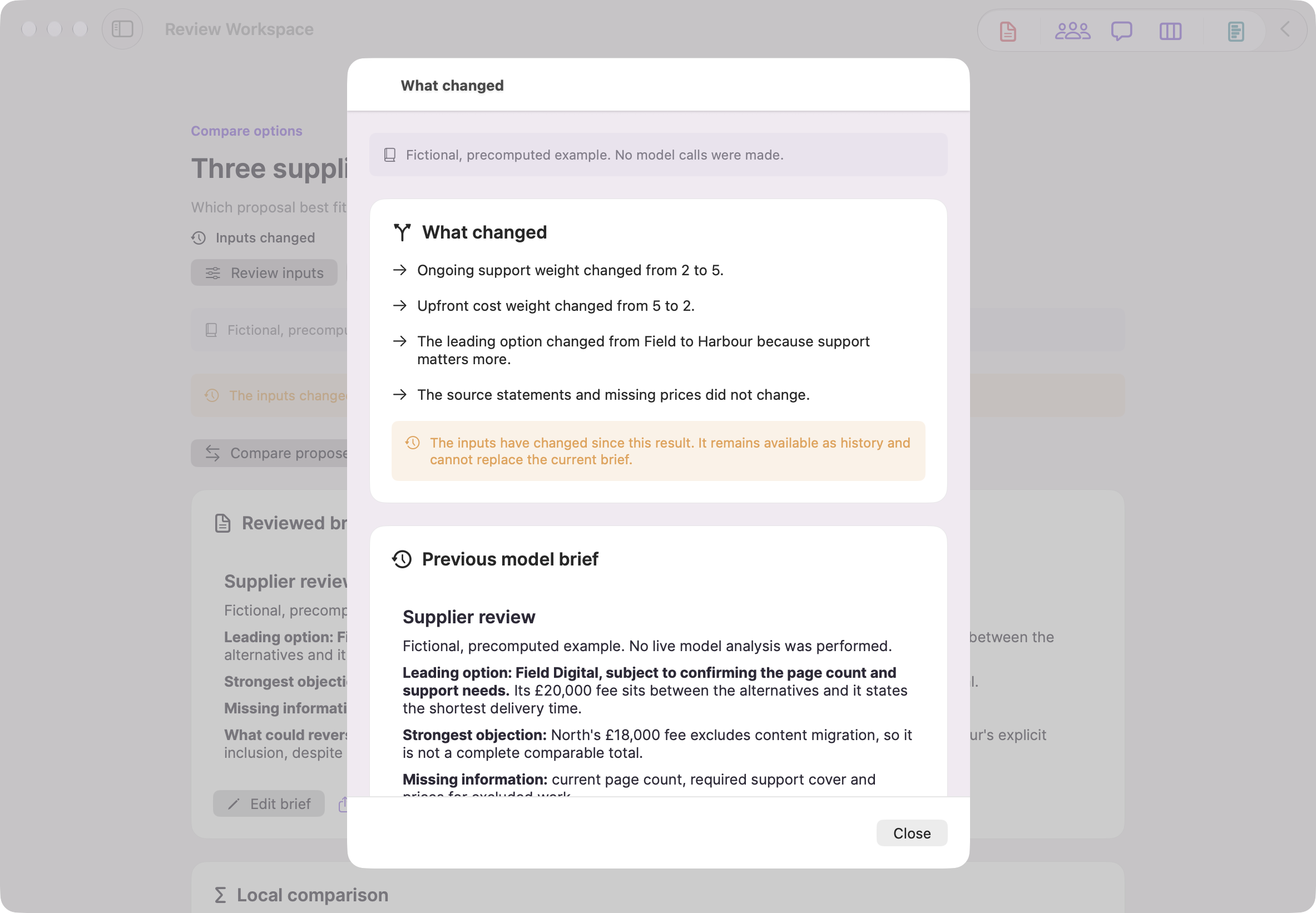
Synthetic examples. Model results are precomputed; local comparisons use example ratings. Screenshots show the English Mac interface.
Edit and export your brief
Edit your recommendation and export Markdown, JSON or a printable PDF with source and revision context. Inspect the readable export before sharing it.
Council, Direct Chat, Comparison, templates, themes and saved conversation history remain available.
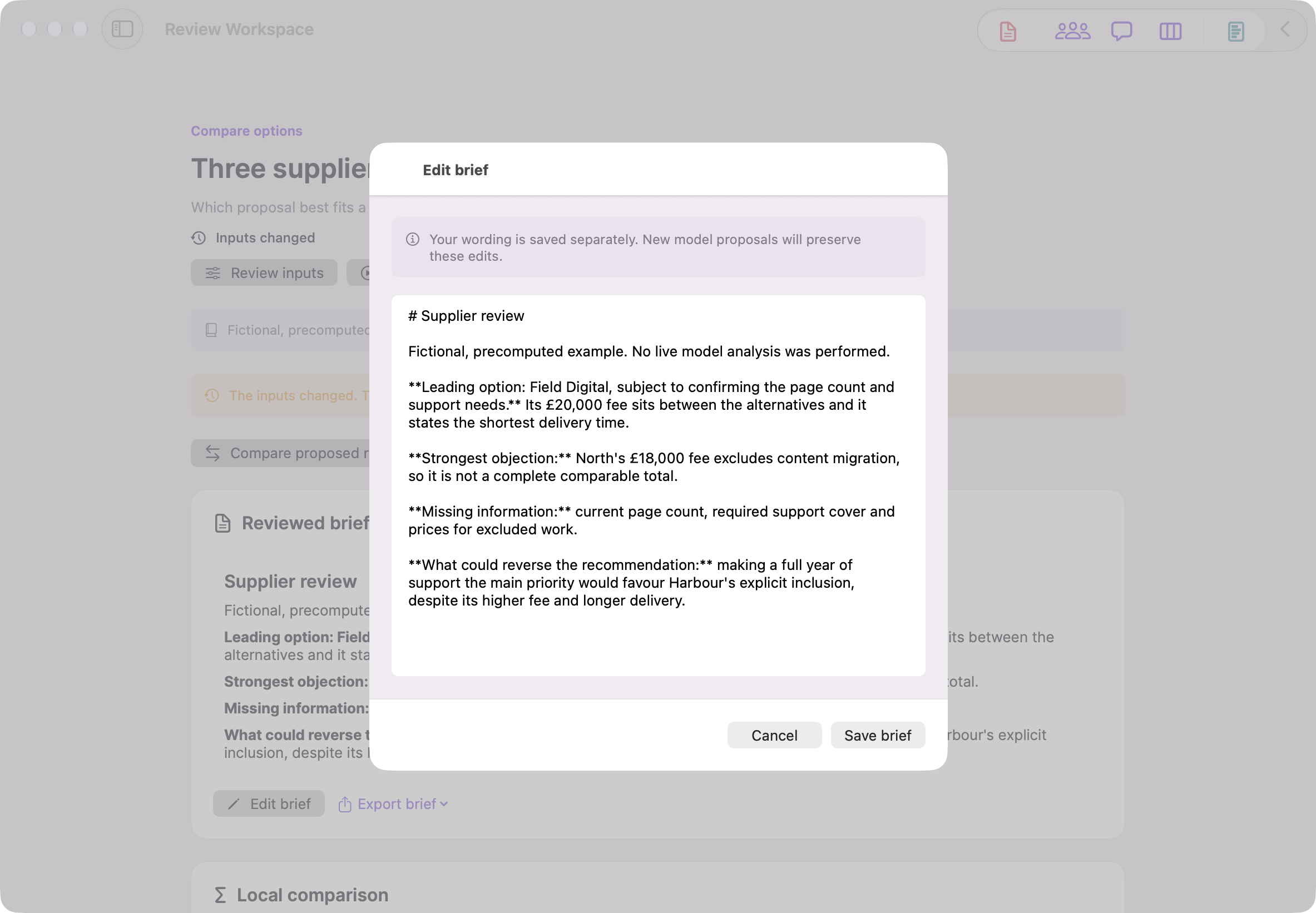
Synthetic examples. Model results are precomputed; local comparisons use example ratings. Screenshots show the English Mac interface.
When you want a new AI review
App Store editions use your provider accounts for cloud models. Setapp on Mac offers managed AI access, subject to your account and available credits.
Choose a Setapp route to use managed AI on Mac without provider API keys. Availability depends on your Setapp account, credits and selected model. You can also configure your own provider accounts.
Review the named route before confirming. An approved review uses that route and does not silently switch providers after a failure.
Request costs and token counts may be estimated. Provider usage is shown when returned. Direct provider prices do not establish Setapp credit charges. Check provider or Setapp account records for authoritative charges.
Setapp vs BYOK RoutingReady to start?
Several AI models answer independently, then review each other anonymously. You get one synthesised answer, and you can see what they disagreed on.
Download AI CouncilNeed more detail? Visit the Help Centre for full documentation on every feature.